



Technical SEO is the foundation of search engine optimization. You can write the best content in the world and build the most authoritative backlink profile. But if search engines can’t crawl, render, index, or understand your site properly, your pages will struggle to rank.
This guide breaks down essential technical SEO concepts you need to know—explained in plain language and organized so you can apply them. As part of a great SEO strategy, this guide will help you prioritize technical work, communicate needs to developers, and measure the impact of changes.
Why Technical SEO Matters
Technical SEO determines whether search engines can access and understand your content. Without proper technical implementation, even the highest-quality content and strongest marketing efforts won’t deliver results.
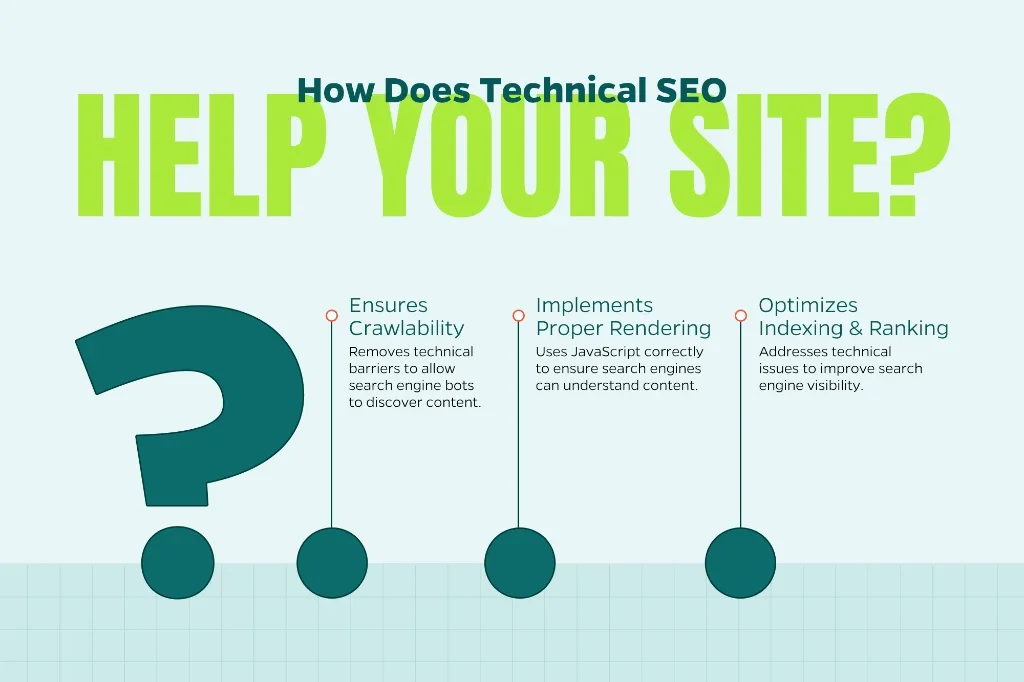
A sound technical setup lets search engines:
- Discover your content (crawl): Search engines use automated bots called “crawlers” or “spiders” to navigate the web. If your site has technical barriers, these bots can’t find your pages.
- Understand it (render and parse): Modern websites often rely on JavaScript to display content. Search engines need to execute this code and comprehend your page structure, which requires proper technical implementation.
- Decide whether to show it in search results (index and rank): Even if a page is discovered and understood, technical issues can prevent it from being indexed or cause it to rank poorly.
Major ranking engines rely on signals like page speed, mobile usability, structured data, and secure connections—all technical elements. Fixing technical SEO issues can improve visibility, user experience, and conversion rates, often with dramatic results.
According to various industry studies, technical SEO improvements have been shown to increase organic traffic by 20-50% or more when significant issues are resolved. That’s because you’re essentially removing obstacles that were preventing search engines from doing their job.
Crawlability and Indexing: The Basics
Before a page can rank, search engines must find and index it. This process begins with crawling. It’s where search engine bots follow links throughout the web to discover content. Once discovered, the content is processed and, if deemed appropriate, added to the search engine’s index (a massive database of web pages).
If search engines can’t crawl your site efficiently or if pages can’t be indexed, those pages essentially don’t exist in the eyes of search engines. Let’s look at the key elements that control this process.
Robots.txt
The robots.txt file lives in your site’s root directory (yoursite.com/robots.txt) and tells crawlers which parts of your site to avoid. It’s like a “Do Not Enter” sign. This is a blunt control and should be used sparingly.
Common mistakes to avoid:
- Blocking CSS or JavaScript files: Modern crawlers need these files to understand how your pages render. Blocking them can prevent proper indexing.
- Accidentally blocking important pages: A misplaced disallow directive can hide critical content from search engines.
- Over-blocking: Some site owners block too much, thinking it saves crawl budget. In reality, you want search engines crawling your important content freely.
Best practices:
- Only block pages that shouldn’t be indexed (like admin areas, thank-you pages, or duplicate content)
- Regularly audit your robots.txt file to ensure you’re not blocking valuable pages
- Use specific directives rather than broad blocks when possible
Meta Robots Tags and X-Robots-Tag Headers
While robots.txt tells crawlers not to crawl a page, meta robots tags tell them not to index it. This is a crucial distinction. You might want a page crawled (so the bot can follow links on it) but not indexed (so it doesn’t appear in search results).
Common directives include:
- noindex: Don’t add this page to your index
- nofollow: Don’t follow links on this page
- noarchive: Don’t show a cached version of this page
- nosnippet: Don’t display a snippet or preview in search results
These tags can be placed in the HTML <head> section:
html
<meta name="robots" content="noindex, follow">
They can also be sent as HTTP headers (X-Robots-Tag), which is particularly useful for non-HTML files like PDFs
When to use noindex:
- Duplicate or near-duplicate content that must exist on your site
- Thin content pages (tag archives, search result pages)
- Private or sensitive pages that shouldn’t appear in search
- Staging or development environments
XML Sitemaps
An XML sitemap is essentially a roadmap for search engines, listing all the important pages on your site that you want indexed. While search engines can find pages by crawling links, a sitemap helps them discover content more efficiently and understand your site’s structure.
What to include in your sitemap:
- All important, indexable pages
- The last modified date for each page
- Priority indicators (though search engines may not heavily weight these)
- Change frequency information
What to exclude:
- Pages blocked by robots.txt or noindex tags
- Redirect chains
- Low-value or duplicate pages
- Pages with canonical tags pointing elsewhere
Submit your sitemap through Google Search Console and Bing Webmaster Tools. Monitor for errors. If search engines report problems accessing your sitemap, it could indicate server issues or incorrect formatting.
For large sites, it may be a good idea to create multiple sitemaps organized by content type (products, blog posts, category pages) and reference them in a sitemap index file. This makes management easier and helps search engines process your content more efficiently.
Site Architecture and URL Structure
Site architecture is how your pages are organized and linked together. Good architecture helps users navigate your site and enables search engines to understand your content hierarchy and discover pages efficiently.
Logical Hierarchy
Your site should follow a pyramid structure with your homepage at the top, main category pages below it, and specific content pages at the bottom. Ideally, users should be able to reach any page on your site within three to four clicks from the homepage.
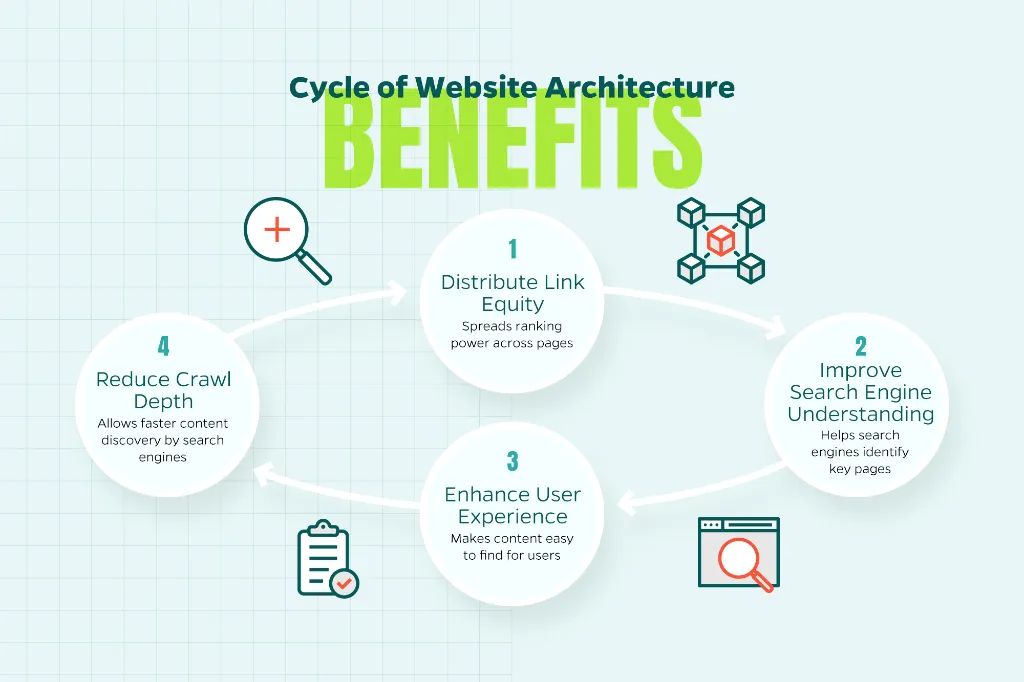
Benefits of strong architecture:
- Distributes “link equity” (ranking power) throughout your site
- Helps search engines understand which pages are most important
- Improves user experience by making content easy to find
- Reduces crawl depth, allowing search engines to discover content faster
URL Structure
Clean, descriptive URLs benefit both users and search engines.
Best practices:
- Uses descriptive keywords: example.com/seo-services/technical-seo rather than example.com/page?id=123
- Keeps URLs relatively short (under 100 characters when possible)
- Uses hyphens to separate words (not underscores or spaces)
- Avoids unnecessary parameters and session IDs
- Maintains consistency across your site
- Uses lowercase letters (to avoid duplicate content issues)
URL structure hierarchy example:
Homepage: example.com
Category: example.com/digital-marketing
Subcategory: example.com/digital-marketing/seo-services
Individual page: example.com/digital-marketing/seo-services/technical-seo-audit
This structure immediately tells users and search engines where they are within your site’s hierarchy.
Internal Linking
Internal links connect pages within your site and serve multiple purposes:
- Guide search engine crawlers to discover content
- Distribute ranking power from high-authority pages to others
- Establish topical relevance by connecting related content
- Improve user navigation and time on site
Internal linking best practices:
- Use descriptive anchor text that tells users and search engines what the linked page is about
- Link from high-authority pages to important content you want to rank
- Create content hubs or topic clusters that link related pages together
- Ensure every page has at least one internal link pointing to it
- Avoid excessive links (hundreds on a single page) that dilute value
- Fix or remove broken internal links regularly
Page Speed and Core Web Vitals
Page speed has been a ranking factor for years, but Google’s Core Web Vitals have brought new specificity to performance measurement. These metrics quantify user experience in concrete ways.
Understanding Core Web Vitals
Core Web Vitals consist of three specific metrics:
Largest Contentful Paint (LCP): Measures loading performance. It tracks how long it takes for the largest content element visible in the viewport to load. Good LCP is 2.5 seconds or less.
- What it measures: How quickly the main content on your page becomes visible to users
- Common issues: Slow server response times, render-blocking resources, large images
- Solutions: Optimize images, improve server response time, implement lazy loading
Interaction to Next Paint (INP): Measures interactivity. It quantifies the time from when a user first interacts with your page (clicks a link, taps a button) to when the browser responds. Good INP is less than 200 milliseconds.
- What it measures: How quickly your page responds to user interactions
- Common issues: Heavy JavaScript execution, large third-party scripts
- Solutions: Break up long JavaScript tasks, minimize third-party code, use browser caching
Cumulative Layout Shift (CLS): Measures visual stability. It calculates how much unexpected layout shifting occurs as a page loads. Good CLS is 0.1 or less.
- What it measures: How stable your page is as it loads
- Common issues: Images without dimensions, ads or embeds that push content, web fonts causing text to shift
- Solutions: Set size attributes for images and videos, reserve space for ads, use font-display CSS property
Improving Page Speed
Beyond Core Web Vitals, general page speed optimization includes:
Image optimization:
- Compress images without significant quality loss
- Use modern formats like WebP when browser support allows
- Implement responsive images that serve appropriate sizes for different devices
- Lazy load images below the fold
Code optimization:
- Minify CSS, JavaScript, and HTML
- Eliminate render-blocking resources or defer non-critical resources
- Remove unused code and third-party scripts
- Enable browser caching
Server optimization:
- Use a content delivery network (CDN) to serve assets from locations closer to users
- Enable compression (Gzip or Brotli)
- Upgrade hosting if server response time is slow
- Implement HTTP/2 or HTTP/3 for faster resource loading
Tools to measure performance:
- Google PageSpeed Insights
- Lighthouse (built into Chrome DevTools)
- WebPageTest
- GTmetrix
Remember, these tools may show different scores because they test under different conditions. Focus on the trends and specific recommendations rather than achieving a perfect 100 score.
Mobile-First Indexing
Google predominantly uses the mobile version of your content for indexing and ranking. This means if your mobile site has issues, it can hurt your rankings even for desktop searches.
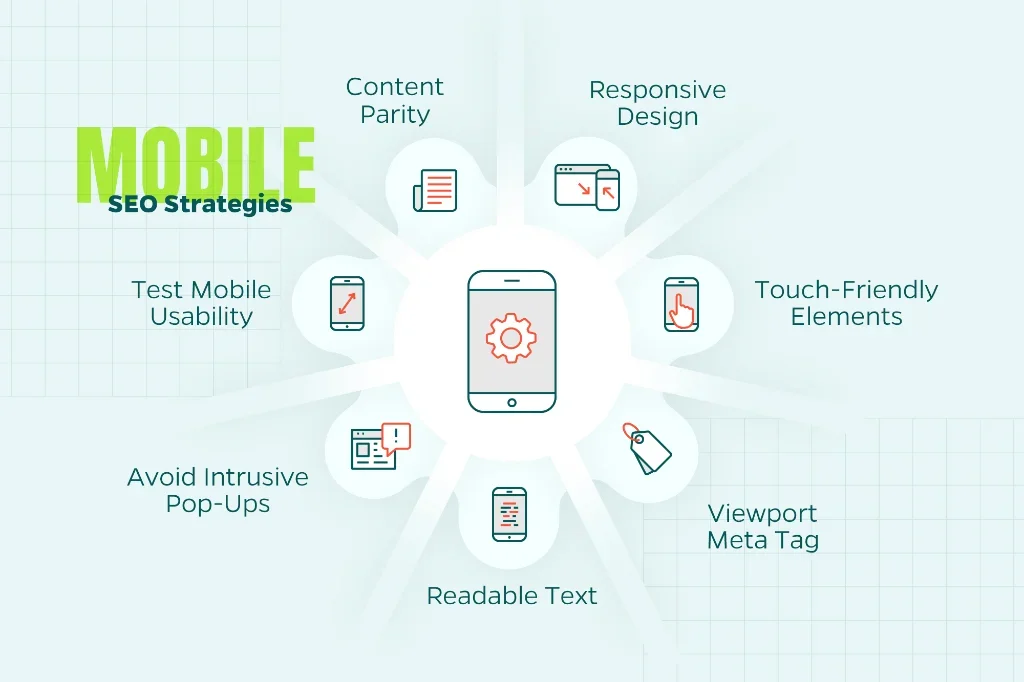
Mobile-First Best Practices
Responsive design: Your site should adapt seamlessly to different screen sizes rather than serving separate mobile and desktop versions. Responsive design is simpler to maintain and avoids duplicate content issues.
Content parity: Ensure your mobile site contains the same content as your desktop site. Google has reported that some sites show less content on mobile, which can harm rankings.
Viewport meta tag: Include <meta name=”viewport” content=”width=device-width, initial-scale=1″> to ensure proper rendering on mobile devices.
Touch-friendly elements: Buttons and links should be large enough to tap easily (at least 48×48 pixels) with adequate spacing to prevent mis-taps.
Readable text: Font sizes should be legible without zooming. Google recommends a base font size of at least 16px.
Avoid intrusive interstitials: Pop-ups that cover main content on mobile can result in penalties. Use them sparingly and ensure they’re easy to dismiss.
Test mobile usability: Use Google Search Console’s Mobile Usability report to identify issues and test your site on actual mobile devices with different screen sizes.
HTTPS and Security
HTTPS (Hypertext Transfer Protocol Secure) encrypts data transmitted between your site and users’ browsers. Google has confirmed HTTPS as a ranking signal, but more importantly, browsers now mark HTTP sites as “Not Secure,” which can significantly harm trust and conversion rates.
Implementing HTTPS
Obtain an SSL/TLS certificate: Many hosting providers offer free certificates through Let’s Encrypt. For e-commerce sites, you might want an Extended Validation (EV) certificate for the highest trust signals.
Update internal links: Change all internal links from HTTP to HTTPS to avoid unnecessary redirects.
Update external resources: Ensure images, scripts, and stylesheets loaded from external sources use HTTPS to avoid “mixed content” warnings.
Implement redirects: Set up 301 redirects from HTTP versions to HTTPS versions of all pages.
Update tools and services: Update your URLs in Google Search Console, Google Analytics, and other SEO tools.
Check for crawl errors: After migration, monitor Search Console for increased errors and address them promptly.
Canonicalization and Redirects
Duplicate content confuses search engines about which version of a page to rank. Canonical tags and redirects solve this problem by indicating your preferred URLs.
Canonical Tags
A canonical tag tells search engines which version of a page is the “master” when multiple versions exist:
html
<link rel=”canonical” href=”https://example.com/preferred-version”>
When to use canonical tags:
- Product pages accessible through multiple category URLs
- Content available via multiple URLs (with tracking parameters, for example)
- Printer-friendly versions of pages
- Session IDs or other parameters that create duplicate pages
Redirects
Redirects automatically send users and search engines from one URL to another. The most important types are:
301 Redirect (Permanent): Indicates the original page has permanently moved. Passes approximately 90-99% of ranking power to the new URL. Use for:
- Site migrations
- Consolidating duplicate pages
- URL structure changes
- HTTP to HTTPS migration
302 Redirect (Temporary): Indicates a temporary move. Doesn’t pass full ranking power. Use sparingly, primarily for:
- A/B testing
- Temporary promotions
- Maintenance periods
Redirect chains: Avoid situations where one redirect leads to another, which leads to another. These slow down page loads and can dilute ranking signals. Always redirect directly to the final destination.
Structured Data and Schema Markup
Structured data is code that helps search engines understand your content’s context and meaning. It enables rich results like star ratings, recipe cards, event details, and FAQ snippets in search results.
What Is Schema.org Markup?
Schema.org provides a standardized vocabulary for structured data. By adding schema markup to your pages, you give search engines explicit information about your content.
Common schema types:
- Organization: Company information, logo, social profiles
- Local Business: Address, hours, contact information
- Product: Prices, availability, reviews
- Article: Author, publish date, featured image
- FAQ: Questions and answers
- Review: Ratings and testimonials
- Event: Dates, locations, ticket information
- Recipe: Ingredients, cooking time, nutrition
Implementing Structured Data
Structured data can be implemented in several formats:
JSON-LD (recommended): JavaScript Object Notation for Linked Data sits in a <script> tag and doesn’t interfere with your visible content:
html
<script type=”application/ld+json”>
{
“@context”: “https://schema.org”,
“@type”: “Organization”,
“name”: “Straight North”,
“url”: “https://www.straightnorth.com”
}
</script>
Testing and validation:
- Use Google’s Rich Results Test to validate your markup
- Monitor the Enhancements report in Google Search Console
- Check for errors and implement recommended fixes
- Not all marked-up content will generate rich results, but it still helps search engines understand your pages
Monitoring and Maintenance
Technical SEO isn’t a one-time task. Regular monitoring helps you identify issues before they impact rankings.
Essential Tools
Google Search Console: Your primary tool for monitoring search performance, identifying crawl errors, checking mobile usability, and receiving notifications about issues.
Bing Webmaster Tools: Similar functionality for Bing (which powers several other search engines).
Crawling tools: Help you audit your site as search engines see it.
Performance monitoring: Google Analytics, PageSpeed Insights, and Core Web Vitals assessment tools.
Regular Audits
Conduct technical SEO audits quarterly or after major site changes:
Crawl your site to identify:
- Broken links (404 errors)
- Redirect chains
- Duplicate content
- Missing or multiple title tags/meta descriptions
- Pages blocked from indexing
- Orphaned pages (pages with no internal links)
Check Core Web Vitals and address pages with poor scores.
Review structured data for errors and opportunities.
Monitor indexing to ensure important pages are indexed and unimportant ones aren’t.
Check for security issues including SSL certificate expiration and malware.
Technical SEO Checklist
To summarize what you have read above, you should use this checklist to prioritize your technical SEO work:
Crawlability and Indexing
- Robots.txt file is properly configured and not blocking important resources
- XML sitemap is up to date and submitted to search engines
- Important pages are indexable (not blocked by noindex)
- Unimportant pages are blocked from indexing appropriately
Site Architecture
- Site has a logical hierarchy with important pages within 3-4 clicks of homepage
- URLs are clean, descriptive, and follow a consistent structure
- Internal linking distributes authority to important pages
- No orphaned pages exist
Performance
- Core Web Vitals meet Google’s thresholds (LCP < 2.5s, FID < 100ms, CLS < 0.1)
- Images are optimized and use appropriate formats
- Code is minified and render-blocking resources are minimized
- CDN is implemented for faster global delivery
Mobile
- Site is responsive and mobile-friendly
- Mobile and desktop content is equivalent
- Text is readable without zooming
- Tap targets are appropriately sized
Security
- HTTPS is implemented across entire site
- HTTP to HTTPS redirects are in place
- SSL certificate is valid and up to date
- No mixed content warnings
Technical Issues
- Canonical tags are implemented where needed
- Redirects are 301s (not 302s) for permanent moves
- No redirect chains exist
- Broken links are fixed or removed
- Duplicate content issues are resolved
Structured Data
- Appropriate schema markup is implemented
- Markup is validated and error-free
- Enhancements report in Search Console shows no issues
Monitoring
- Google Search Console and Bing Webmaster Tools are set up
- Regular crawls are scheduled to identify issues
- Core Web Vitals are monitored
- Indexing status is reviewed regularly
Conclusion
Technical SEO creates the foundation for all your other optimization efforts. While it can seem daunting, the core principles are straightforward: make your site accessible to search engines, fast for users, and structured in a way that both can understand.
Start with the basics. Ensure search engines can crawl and index your important pages, implement HTTPS, and fix any glaring performance issues. Then work your way through more advanced optimizations like structured data and fine-tuning your Core Web Vitals.
Technical SEO is about progress, not perfection. Use this guide as a reference, tackle issues methodically, and monitor your progress regularly. Looking for someone to help you manage the process? Straight North has a reputation of successfully helping clients manage SEO and marketing tasks. Reach out to learn more.